Agent-native
Ask your AI assistant, not another dashboard
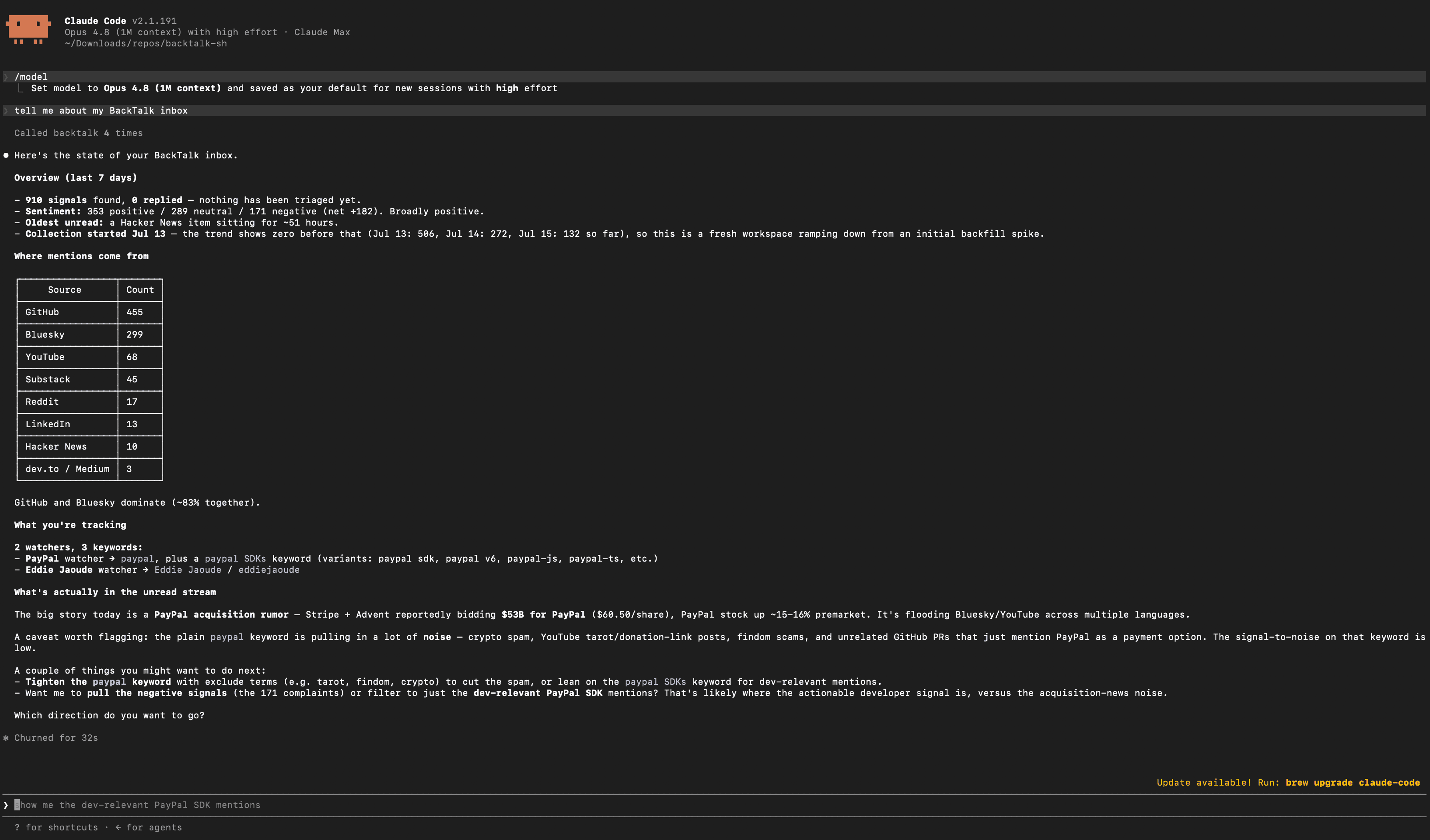
BackTalk ships an MCP server and a REST API, so Claude, ChatGPT and your own scripts can read and triage your developer signals directly: ask what the community complained about today and get an answer from your actual data.
Flat plans from $19/mo · 7-day free trial · runs on your own API keys, no markup · View as Markdown
Your signals, inside the assistant you already use
Connect Claude Code, Claude Desktop or ChatGPT to your workspace over MCP and the assistant can browse signals, pull the report, check share-of-voice standings, and read the sampled AI answers. "What did developers complain about today?" gets answered from what BackTalk actually caught, with links back to every thread.
Automate the boring half
With a write-scoped key, agents and scripts can triage signals, star answers, and trigger syncs or probes. The REST API covers the same surface with keyset pagination and stable error codes, so a cron job or an internal bot is an afternoon's work, not an integration project.
Frequently asked questions
Which AI tools can connect?
Anything that speaks MCP can connect; Claude Code, Claude Desktop and ChatGPT are the documented setup paths. Keys are workspace-scoped with read or write scopes, minted in Settings.
Can agents change things, or just read?
Your choice per key. Read scope covers signals, reports, topics and answers; write scope adds triage, starring and curation, plus triggering a sync or probe on demand.
Is there a plain REST API too?
Yes, the same surface as the MCP server: bearer-authenticated, keyset-paginated, with curl examples for every endpoint in the docs.
Learn more
- MCP serverConnect Claude Code, Claude Desktop or ChatGPT to your workspace over MCP.
- REST APIBearer auth, scopes, endpoints, pagination, error codes, and rate limits.
More use cases: AI share of voice · Question · Bug · Complaint · Competitors · Praise · Digest reports · Shareable recap